
Turn recurring meeting transcripts into a change-detection system
Recurring meetings create a steady stream of “small truths”: risks mentioned in passing, priorities that quietly change, and decisions that never get written down. Over time, those small truths become drift—misalignment between what leadership thinks is happening and what teams are actually doing. An “Executive Drift Report” is a practical way to detect that drift early by treating meeting transcripts like a monitored system: you define keywords and signals, track changes week over week, and surface what meaningfully shifted.
This approach is easiest when transcripts are consistent, searchable, and available quickly after each call. Tools like Fathom can capture transcripts and summaries automatically, then let teams set keyword alerts and search across conversations—useful building blocks for a lightweight drift pipeline.
What “executive drift” looks like in practice
Drift rarely arrives as a single event. It accumulates across recurring calls:
- Priority drift: “This quarter it’s pipeline” becomes “this quarter it’s retention,” but the delivery plan never changes.
- Definition drift: Teams use the same word (“enterprise-ready,” “activation,” “SLA”) but mean different things by week six.
- Commitment drift: Action items get softer over time—dates disappear, owners become “we,” and accountability diffuses.
- Risk drift: A recurring issue (“rate limits,” “security review,” “renewal risk”) escalates in frequency but not in urgency.
An Executive Drift Report aims to answer one question: what changed in the conversations that leadership should react to?
Design the report around signals, not notes
The trap is turning this into a long meeting summary. Instead, define a small set of signals that can be monitored reliably.
1) Build a controlled keyword vocabulary
Start with 20–40 terms that reflect real executive concerns. Good categories include:
- Revenue and pipeline: “renewal,” “slip,” “procurement,” “legal redlines,” “discount,” “forecast.”
- Product and delivery: “launch,” “rollback,” “incident,” “downtime,” “migration,” “tech debt.”
- Security and compliance: “SOC 2,” “HIPAA,” “DPA,” “SSO,” “SCIM,” “retention policy.”
- Customer sentiment: “blocked,” “confused,” “churn,” “champion,” “executive sponsor.”
- Operational strain: “backlog,” “on-call,” “handoff,” “capacity,” “burnout.”
Keep the vocabulary opinionated. The goal is to detect movement, not capture every topic.
2) Add phrase patterns to reduce noise
Single keywords can be too broad. Pair them with contextual patterns that indicate executive relevance, such as:
- “we decided” / “decision is”
- “blocked by” / “waiting on”
- “by Friday” / “by end of week” (time-bound commitments)
- “risk is” / “concern is”
- “customer said” / “they asked for”
Even if your alerting system is keyword-based, you can filter alerts downstream by checking whether the surrounding transcript includes one of these patterns.
3) Normalize terms and names
Drift detection breaks when the same concept appears under different labels. Standardize:
- Project codenames vs. feature names
- Customer names and abbreviations
- Metric names (“NRR” vs “net retention”)
If your transcription tool supports custom vocabularies, use them to improve recognition for customer names, product terms, and acronyms—especially for leadership-facing reporting.
Set up keyword alerts as the ingestion layer
Keyword alerts work best when they’re treated as “event emitters.” Every alert is not a fire drill; it’s a data point that can be aggregated into trends.
For teams already using transcript tooling, the practical setup is:
- Recurring meeting folders: Group the same weekly cadence (e.g., “Revenue Standup,” “Product Leadership,” “CS Escalations”).
- Alert topics: Create alerts per theme (e.g., “Renewal Risk,” “Security Review,” “Incident Mentions”).
- Notification routing: Send raw alerts to a private channel for triage, not to the whole exec team.
The point is to capture a stream of structured “mentions” from unstructured conversation without adding manual work.
Build the Executive Drift Report with a weekly cadence
A useful drift report is short, comparable week to week, and biased toward action. A consistent template helps.
Section A: What spiked
Track week-over-week changes in alert counts by theme. You’re not claiming causality—just highlighting that the conversation shifted. Spikes often correlate with emerging problems (or emerging opportunities).
Section B: New topics that appeared
Detect first-time mentions in the last 7–14 days. “New” is often more important than “frequent,” because it signals a change in the operating environment: a new competitor, a new procurement requirement, a new outage pattern.
Section C: Decisions and reversals
Use transcript snippets to capture:
- Decisions: what was chosen, and what alternatives were rejected.
- Reversals: when a previous decision is quietly undone (“we’re pausing that”).
Keep excerpts short and link back to the source transcript internally for full context.
Section D: Commitments at risk
Pull time-bound commitments and check for “softening” language week to week. A simple heuristic: if dates turn into “soon,” or owners disappear, that’s drift worth flagging. This is where operational hygiene matters—teams that keep work schedulable tend to make cleaner commitments; the same mindset behind an anti-backlog sprint calendar sweep improves what shows up in transcripts.
Section E: Executive actions required
End with 3–5 actions that only leadership can unblock, such as:
- Approve a security/compliance investment
- Escalate a stuck procurement/legal thread
- Align two teams using different definitions of a key metric
- Re-prioritize a launch based on repeated customer friction
If the report doesn’t end in decisions, it becomes another dashboard.
Implementation notes that keep the system reliable
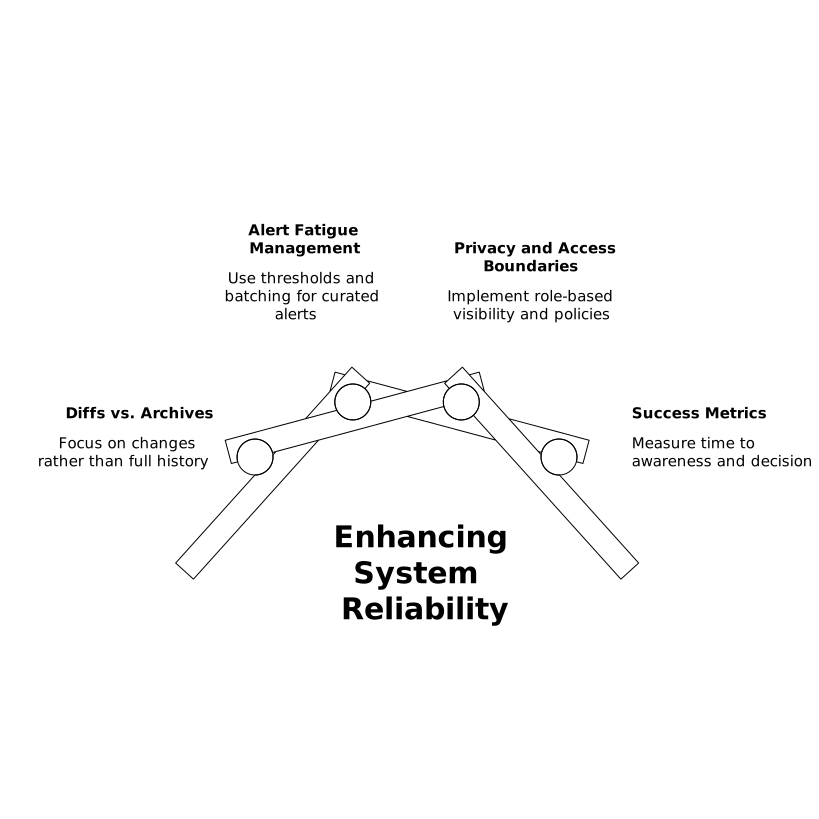
Use “diffs” instead of archives
Executives don’t need more history; they need what changed. Store last week’s report and generate a redline-style comparison: what themes increased, what new entities appeared, what commitments shifted.
Handle alert fatigue with thresholds and batching
Set thresholds (e.g., only report changes above 30% or above N mentions). Batch raw alerts daily, then summarize weekly. The report should feel curated, not reactive.
Protect privacy and access boundaries
Transcripts can contain sensitive content. Use role-based visibility, retention policies, and selective sharing. For enterprise teams, trust improves when people know who can see what and why—similar to the principles behind role-based visibility that builds trust.
Measure whether the report is working
Two practical success metrics:
- Time to awareness: how quickly a major issue shows up in the drift report after it first appears in meetings.
- Time to decision: whether leadership decisions happen earlier (and with fewer surprises).
If those don’t improve, tighten your vocabulary, reduce noise, and focus the report on executive-only actions.