
Why the “second cursor” becomes a problem in remote pairing
Remote pair programming works best when two developers can fluidly switch between “I’m thinking” and “I’m doing.” Remote control makes that possible, but it also introduces a predictable failure mode: two people trying to drive the same UI at once. The result looks like a literal second cursor—unexpected selections, keystrokes landing in the wrong window, and a subtle erosion of trust because neither person is sure what the other is about to do.
The issue isn’t a lack of skill or etiquette. It’s a missing protocol. Co-located pairs resolve this with body language and micro-pauses. Remotely, latency and imperfect awareness remove those cues, so teams need an explicit, lightweight agreement that prevents collisions without slowing the session down.
The practical protocol: make control explicit, scoped, and reversible
This protocol is designed to be simple enough to use on every call. It assumes one person is “sharing” (the driver machine) and others are “observing” (navigators), even if remote control can switch instantly.
1) Announce intent before taking control
Before grabbing remote control, the navigator states what they will do in one sentence:
- “Mind if I take control to refactor this function name?”
- “I’ll drive for 30 seconds to reproduce the bug.”
- “Let me grab control to paste the command and run it.”
This is not bureaucracy; it’s a synchronization point. It gives the current driver a moment to stop typing, finish a thought, or say “hold on.” It also sets expectations so sudden cursor movement isn’t interpreted as interference.
2) Use a clear handoff phrase and wait for acknowledgement
Pick one short, consistent exchange and use it every time:
- Request: “Can I drive?”
- Grant: “Yep, you drive.”
- Return: “Back to you.”
In fast pairing, this takes under two seconds. The acknowledgement matters because remote audio dropouts happen; if you didn’t hear the grant, you don’t take control.
3) Scope control to a task, not an open-ended turn
Most conflicts come from ambiguous duration: the navigator takes over “for a second” and stays driving for five minutes. Instead, scope the handoff to a discrete task:
- One edit (“change this signature and update call sites”)
- One check (“confirm the config value is set”)
- One run (“execute the test and read the failure output”)
When the task is complete, control returns automatically. This keeps the session moving and preserves the shared mental model.
4) Establish a “keyboard ownership” rule
When someone is driving, only that person types. The other person can still talk, point things out, or suggest edits, but they do not touch keyboard or mouse until the next handoff. If you want a strict version, adopt a simple rule: “No simultaneous input.”
This prevents the most damaging collisions, like half-typed commands, accidental editor shortcuts, or terminal interrupts.
5) Use a “soft pointer” mode for guidance
Not every intervention needs full remote control. Often the navigator just needs to indicate a location: a file, a line, a button, or a log entry. If your pairing tool supports annotations or a way to visually guide without seizing the mouse, make that the default for navigation. Save full control for actions that actually require typing or clicking.
In tuple.app, teams commonly combine quick role swapping and on-screen annotations to preserve clarity: the navigator can guide visually, and role changes can be made cleanly when real input is needed.
6) Add a safety brake for sensitive contexts
Remote control becomes riskier around production consoles, credential prompts, destructive commands, and billing/admin dashboards. Define a “red zone” rule where the host always drives:
- Deploys, migrations, and production database access
- Credential entry and secret management
- Account-level settings or payment/plan changes
If a navigator needs to help, they do it by narration (“Type --dry-run first”) or via copy/paste text shared in chat. This prevents accidental irreversible actions and keeps accountability clear.
How to keep the protocol lightweight in real sessions
Pick defaults that remove decisions
Protocols fail when they require constant negotiation. Set defaults:
- Driver starts with control and keeps it unless they explicitly hand it off.
- Navigators request control with the same phrase every time.
- Control is task-scoped by default.
Once defaults are predictable, the protocol becomes almost invisible.
Use micro-handoffs instead of long turns
Remote pairing is most fluid when control switches frequently and safely. Micro-handoffs (10–60 seconds) let each person contribute at the moment their context is strongest. The key is consistency: request, grant, execute, return.
Make failures explicit and blame-free
Even with good habits, collisions happen. When they do, treat them as protocol violations, not personal mistakes:
- “I think we both typed there—let’s reset. You drive.”
- “I didn’t hear the handoff. Can you confirm you want me to take control?”
This keeps psychological safety intact, which matters more than any single edit.
Tooling features that reinforce conflict-free control
A protocol works best when the tool supports it. Look for features that reduce ambiguity and make handoffs fast:
- Low-latency remote control so intent and motion line up closely.
- Clear role swapping so it’s obvious who is driving.
- High-resolution screen sharing so navigators can read without guessing, reducing the urge to “just take control.”
- Annotations or pointers for guidance without stealing input.
- Privacy controls to avoid accidental exposure during handoffs.
Tuple is designed specifically around this pairing workflow: crisp audio, sharp sharing (up to 5K), and snappy remote control aim to make turn-taking feel natural rather than negotiated. It also emphasizes privacy with end-to-end encryption and includes features like App Veil to hide sensitive apps and notifications before sharing, which reduces the friction of switching roles during real work.
Team rollout: from personal habit to shared standard
Write a one-paragraph pairing agreement
Keep it short enough that people will actually read it. Include: the request/grant phrase, task-scoped control, and the red zone rule. If your team already documents behavioral norms, keep it alongside other collaboration standards. If you’re thinking about how norms affect trust and who gets to see what, the idea is similar to role clarity discussed in role-based visibility that builds trust, but applied to input ownership instead of product feedback.
Practice in low-stakes work
Don’t debut the protocol during an incident. Use it while refactoring, adding tests, or doing routine maintenance. Once it’s muscle memory, it will hold under pressure.
Instrument the session with lightweight checks
After a pairing block, ask two quick questions:
- Did we ever fight the cursor today?
- Were handoffs clear and fast?
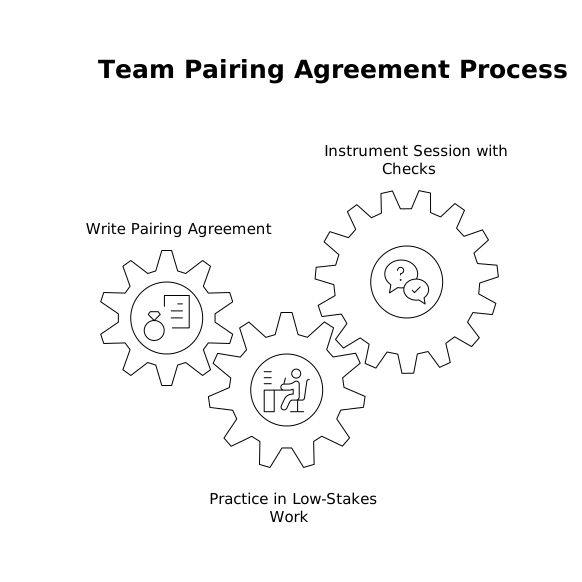
If the answer is “yes, we fought it,” adjust one thing: tighten the handoff phrase, shorten scopes, or expand the red zone list.